

Some footballers are slow, some footballers can’t read the game as well as others, some players can’t keep their mouths closed, and they pick a stupid yellow or red cards. Some players have different weaknesses. And the same applies to us, Football Manager players. We all play the game in a different way. We all ignore a different part of the game. Some of us don’t care about training, some of us don’t care about set pieces, press conferences and many more. My biggest weakness is that the older I am, the bigger issue and pain in the ass are TRANSFERS.
Yes, you read it right. Something so essential for the Football Manager, like transfers, became almost a nightmare for me in the previous years. It’s not a game issue or the fault of the developers. It’s just me being lazy, but it also reflects the fact that I'm very down-to-earth.
In recent years, nine times out of ten, I've decided to promote one of the youngsters to the first team and try to improve him as much as possible, rather than looking for other players on the transfer market.
The players database, how it's named in FM26, or just the player search screen in previous versions, became almost a no-go screen for me. I relied mostly on scouts or HoYD recommendations, or I just used a screen flow with some stats screens. Especially when the save was more than three or four seasons in.

In FM26, I didn’t care about transfers too much in the opening season because 1) the first transfer window was disabled and 2) I used the “Real World” database option. The latter means I have incoming and outgoing transfers set for the first season.
But my team needed improvement in various positions after a promotion to the top tier. And I decided to use one of the new features of the game - the TransferRoom (In).
Part 1: Squad planner
My system is not unique, and I’m sure many of you plan your squads in a very similar way. No matter if there was a squad planner screen in the game, or if you just wrote the names in your notebook.
I usually want to have 1) key/first choice player, 2) backup player and 3) future prospect. In my saves, it’s very common that the second and third players are the same. Or there are two youngsters as backup players.
The squad planner in FM26 works in a very similar way to the previous versions, but there are a couple of bugs, and it can be a little bit frustrating to go through due to general UI fuckups like reverting to a different screen after removing one player, etc.
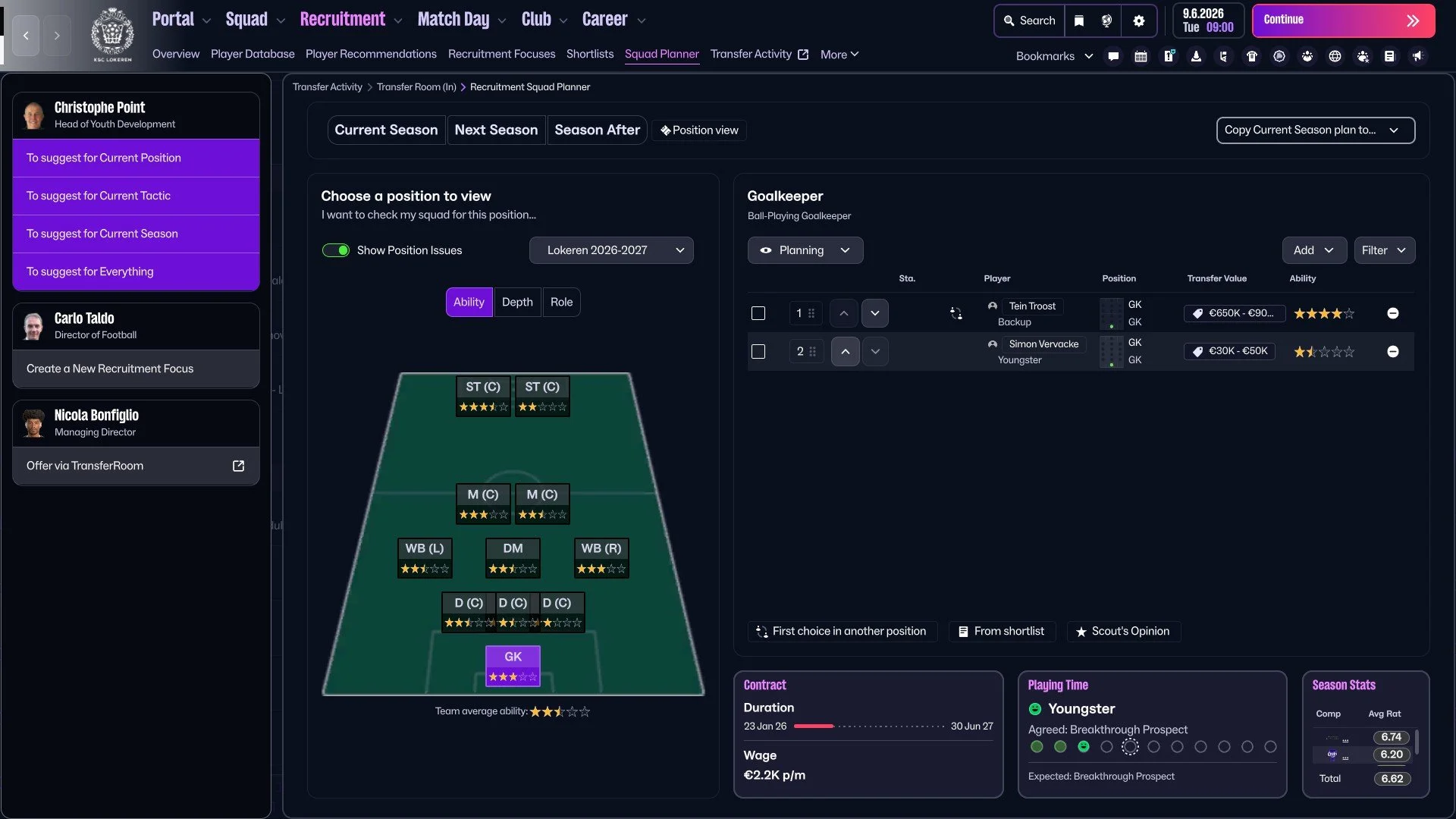
The biggest con of the squad planner right now is that I can’t add the youth players. There are only the shortlist and the first team squad options in the drop-down menu. This was fixed before I finished this post.
But I told myself that I have to be patient, and I don’t want to write everything in the notebook. So I went through and aligned players as I wanted. The positive thing was that I didn’t have any position issues, and I have enough players. The other side is if they are good enough…
Step 2: Identifying what I need
…the answer for the unfinished sentence above is simple - they are not good enough. Watching just the squad page and potential ability star rating can be misleading. “Yes, I have enough central midfielders.” That’s exactly my words and my (wrong) approach from the past.
Putting the player’s list for the next season gave me a similar headache as waiting for the new contract ahead of the end of the first season. I already tweaked the tactics, including player roles I want to use next season, and it turned out I need some major improvement.
I was not able to put together at least three goalkeepers, so I need one backup or some prospect to have enough goalkeepers for reserves and U18 sides, too.
I realised that I was being somewhat blinded by the fact that Radja Nainggolan would continue in the team and thus overlooked the fact that, due to his age and declining physical attributes, he would no longer be able to play in physically demanding and running roles. That meant I needed at least one new channel midfielder and one new central midfielder. The fact that most of our midfielders want to play as DM is also not helpful.
In an effort to get rid of unnecessary players during the first season, to reduce the budget, I released or sold for a few pennies all the players who could play as LWB, so the replacement for Jordi Palacios is a physically pumped 19-year-old young man who occasionally gets the ball tangled between his legs so much that a physiotherapist has to untangle it.
And to make matters worse, when I put together all the pros and cons, eliminating all the available players, it turned out that our main Channel Forward is a fifteen-year-old with a youth contract. This is what I put together in my head and in the end also in the notebook:
GK: Backup or youngster with a low wage
WBL: Backup with a low wage, or promote two newgens from the Youth Intake 2026 and rotate them in the Reserves and U18 team.
CD: At least one first-choice player
DM: The new first-choice player was already signed; I only need to decide about covers.
MC: The first-choice Channel Midfielder & squad player for the CM role.
ST: The first-choice Channel Forward & squad player for the DLF role.
Easy, right?
Step 3: Setting the Requirements
I know we are able to set up the “classical” Recruitment Focusses straight from the Squad Planner, but I’m not a big fan of the recruitment focus, and I decided to keep only two focusses active - outgoing. One for the U18 and one for the U21 players within Belgium.
The main difference between the old Recruitment Focus and TransferRoom(In) focus is that the classic Recruitment Focus is continuously refreshed. The focus within the TransferRoom (In) will show you 15 players, for example, and you have to set the new one if you want to see different players. I’m a much bigger fan of the TransferRoom (In) option, although I would like to have it refreshed automatically, too.
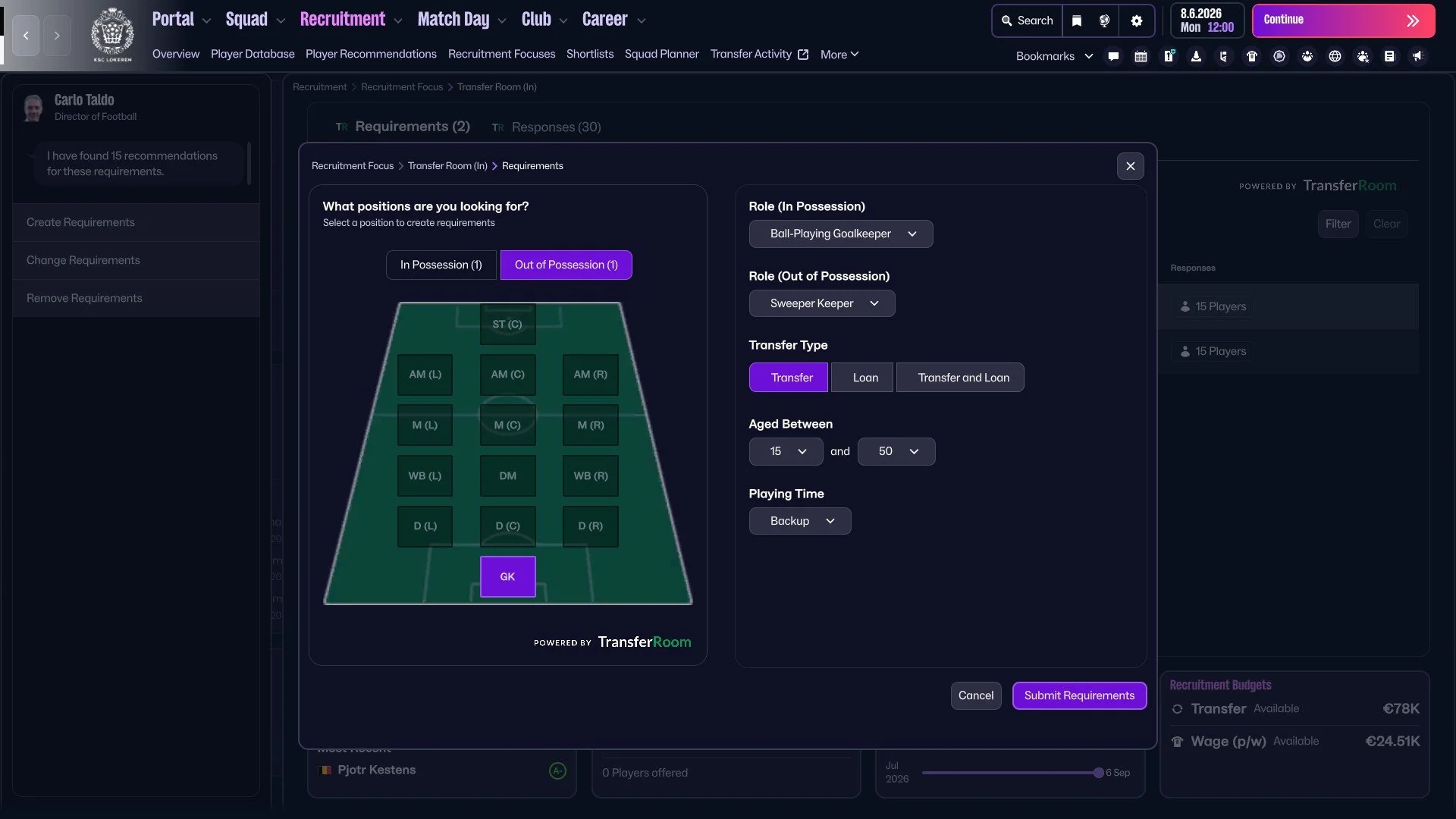
As I already know what I need and what I want to find, it was time to set up the specific requirements. I started with the keeper, and I set two requirements. The first one with Backup as a playing time with no limit of age, and the second one with Emergency Backup and the age is limited to 15-20. It’s a little bit easier with outfield players, as you can set the youngster, future prospect or a breakthrough prospect's playing time.
Selecting the right playing time in combination with the age within setting the requirement is the most important in my eyes, and I enjoy experimenting with it more than searching players manually within the player database. I like how the advert system shows me some different players every time.
You can see in the picture above that there are various age ranges. I decided, for example, in the case of the DLF role, it can be someone who is already a little bit experienced; it doesn’t have to be always a youngster/wonderkid. The same applies to the ad with the backup keeper. I have plenty of them already. If the results are not good and I don’t like the “ads”, I change the requirements.
When I progressed to the next day of the save with these requirements, I got 96 responses. I would be able to select at least two or three players on the first try.
One thing I would like to tweak within the setting of the requirement is the option to add a nationality option.
After some days of scouting and comparing, I decided to make the age limits more specific or more restrictive, so the span was too big in some cases. I changed the age for the backup to 25-35, the age of the important centre defender to 19-25 and so on.
I also removed the 'Out of Possession' position from the requirements, as the responses offered better players. Some combinations, like Channel Forward & Tracking Centre Forward, were too demanding for the current level of my club/league.
Step 4: Results
I don’t want to comment and analyse each of these nine players I signed ahead of the second season with Lokeren, but I decided to share all of them here because it shows I was able to find almost every player I wanted/needed. There are new key central defenders (Doudaev, Musliu!! & Mamengi), Sem Audoor can be a solid LWB backup player - and he already proved it during the opening months of the second season.
Slovenian midfielder Aljaž Casar is a lovely versatile player who is able to play both as DM and CM. And the fact he can also be a Ball-Playing Defender is very welcomed.
I like the fact I was able to find and sing two young strikers for both Channel Forward and DLF roles, and there’s a chance they both will improve and I will sell them. French midfielder Lilian Raillot is also a great example of my favourite transfer policy. I like he can also play both as DM and CM, but also as CD if needed.
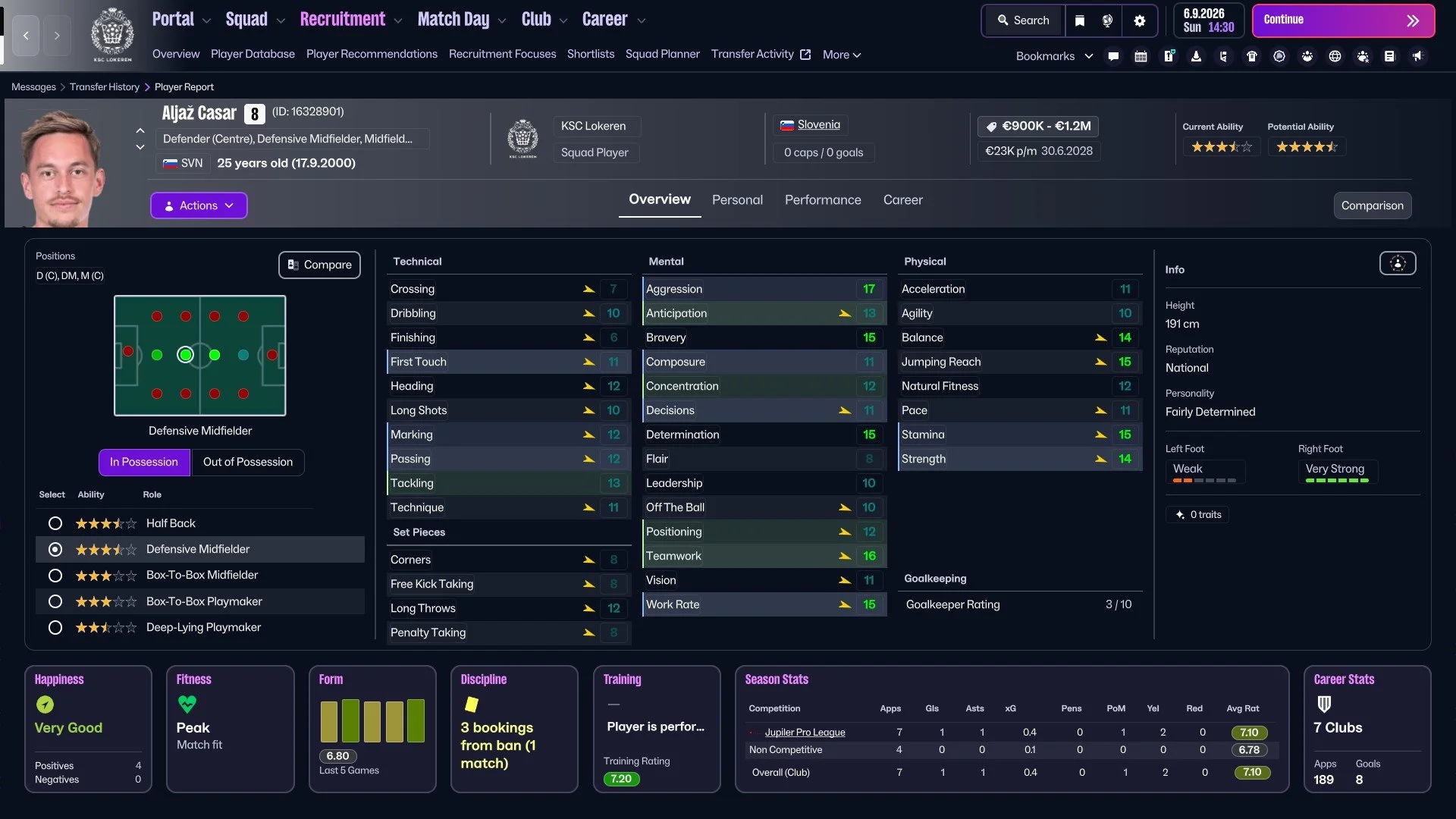
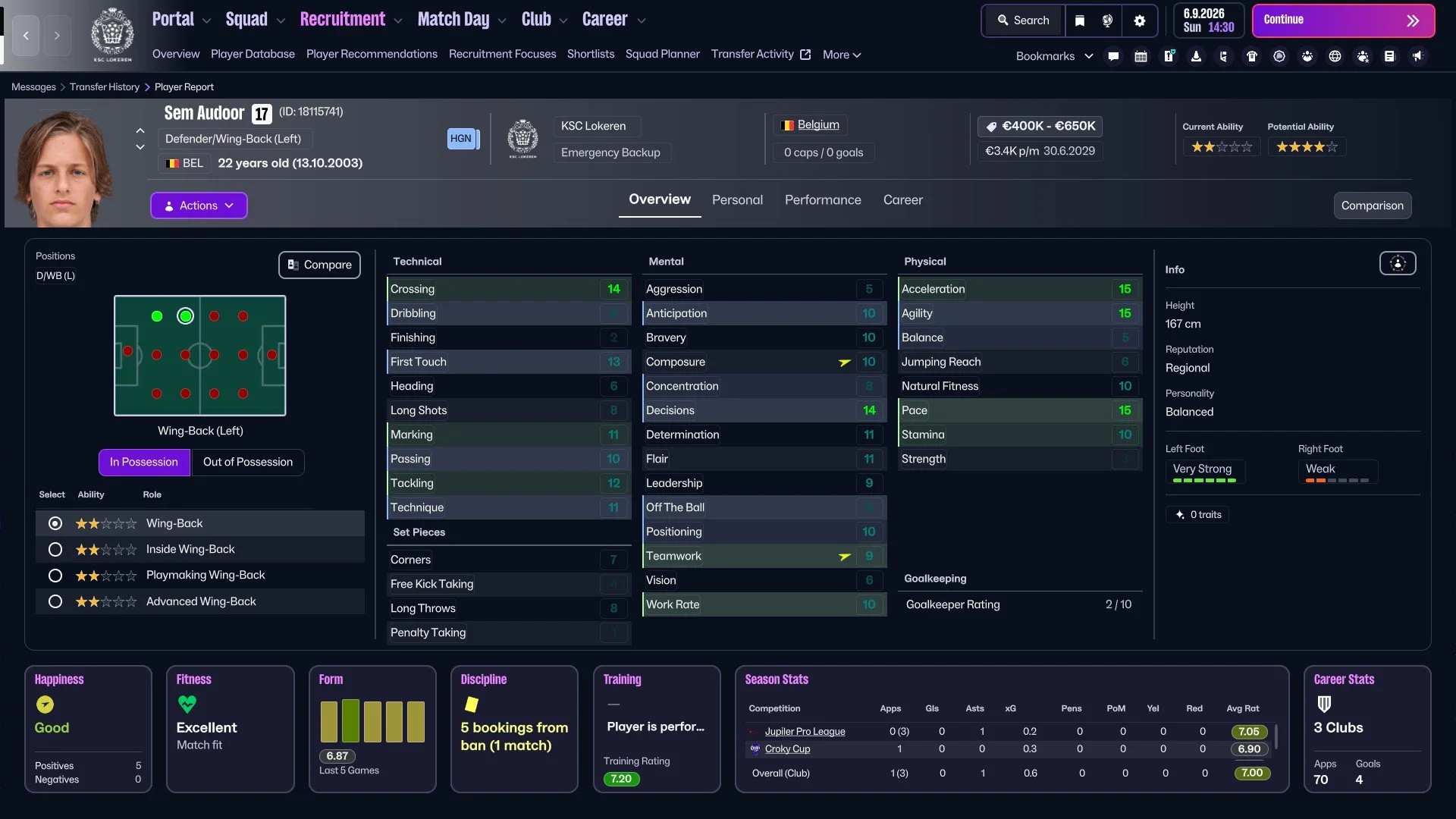
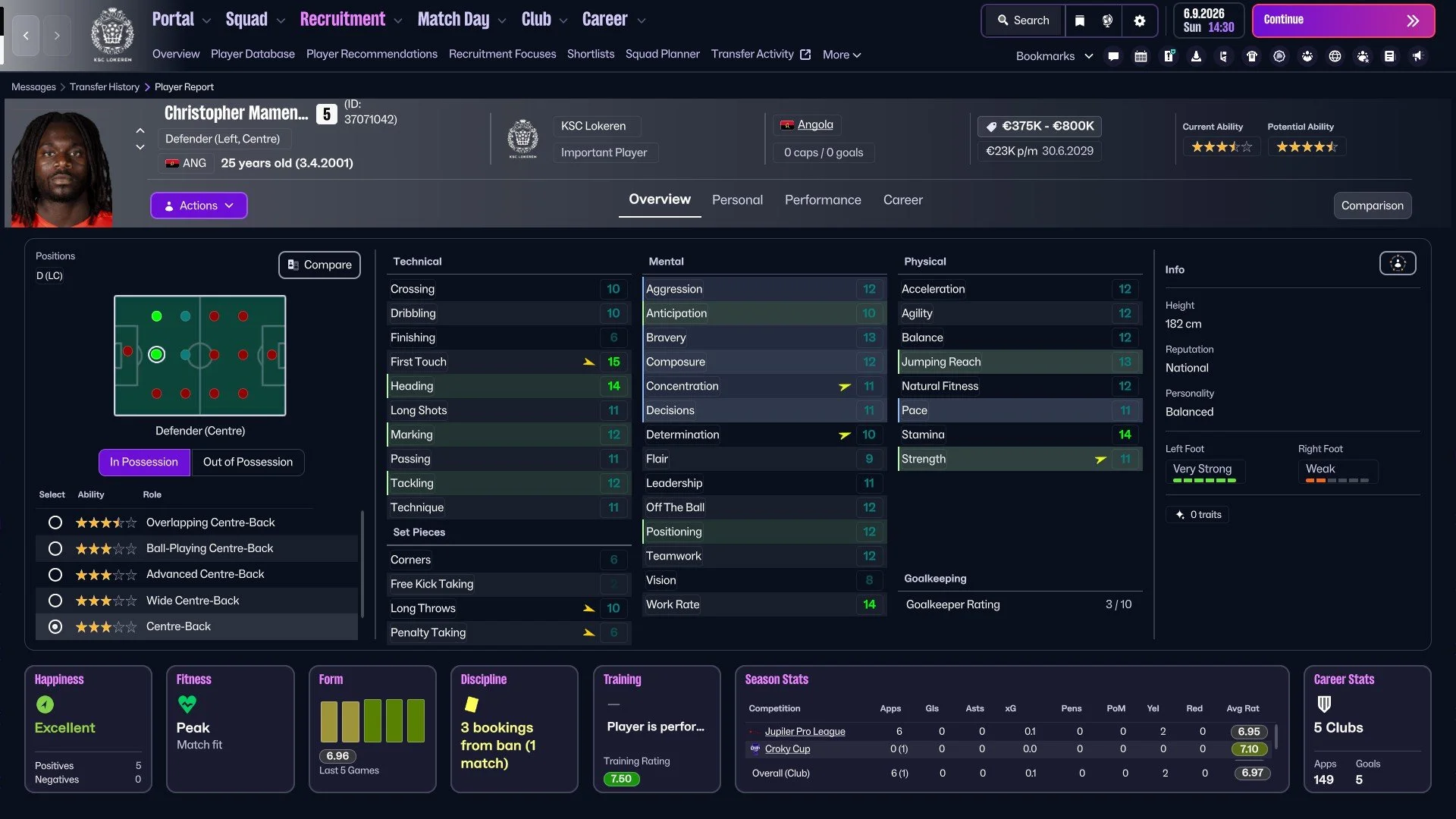
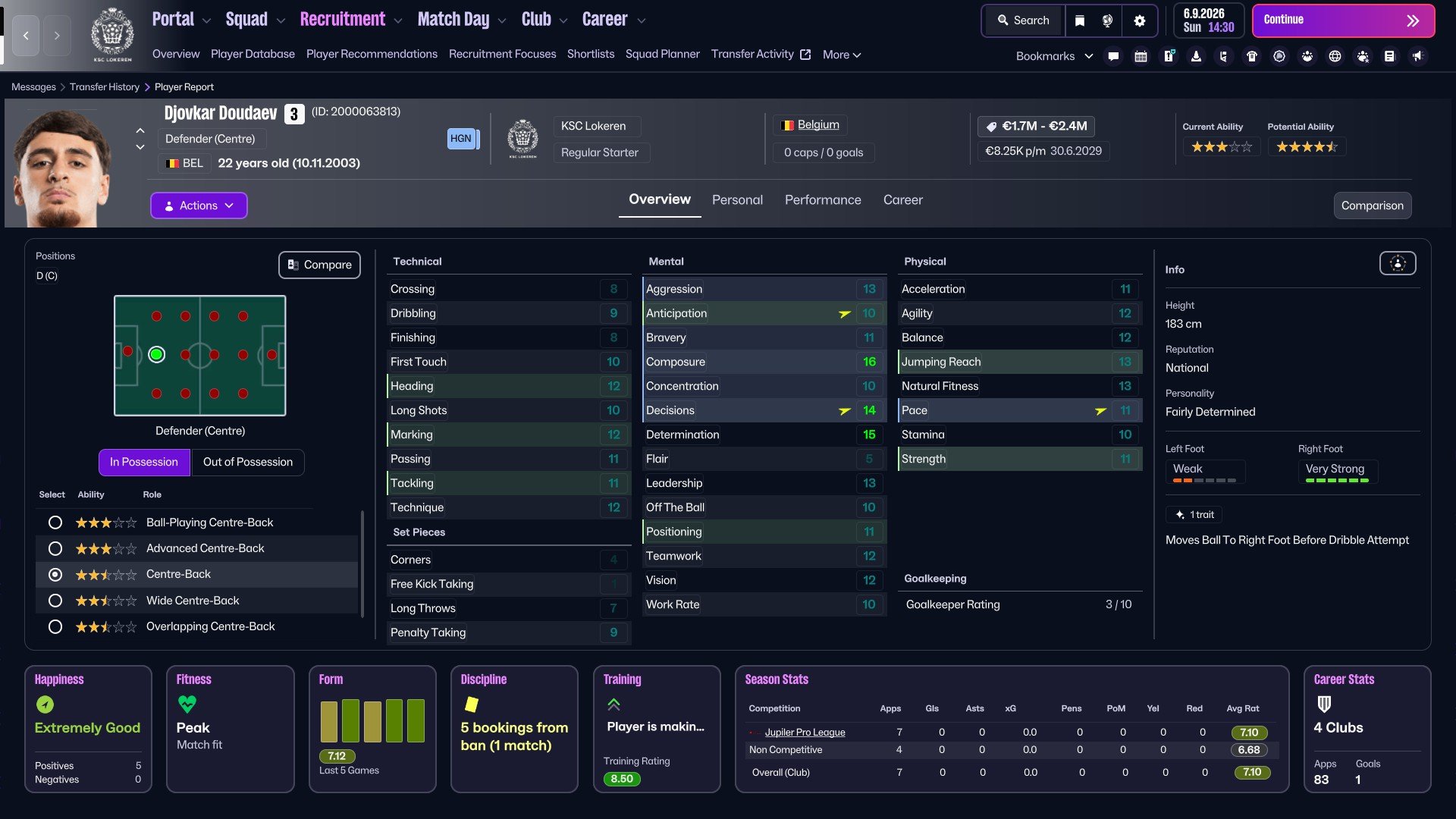
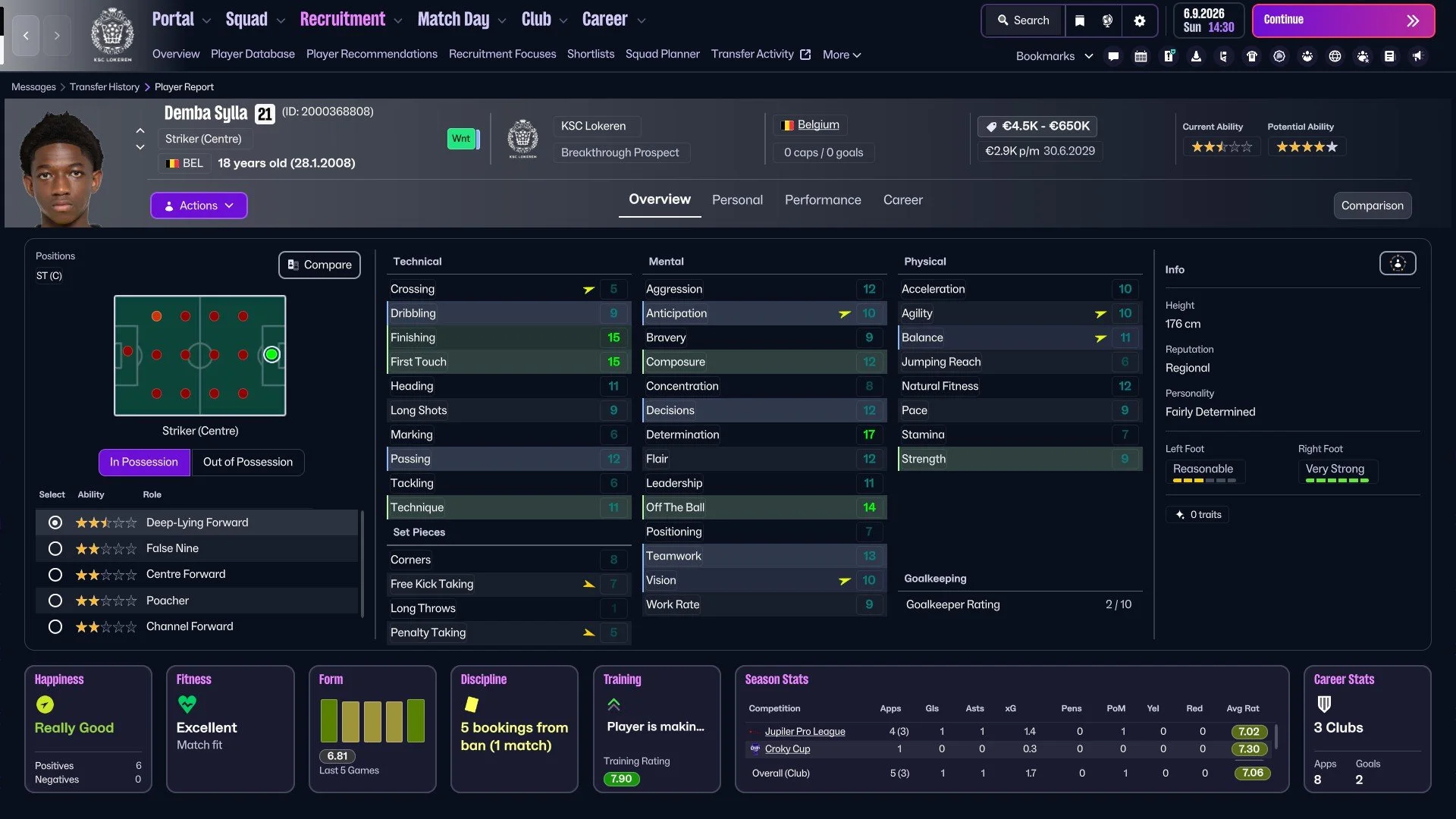
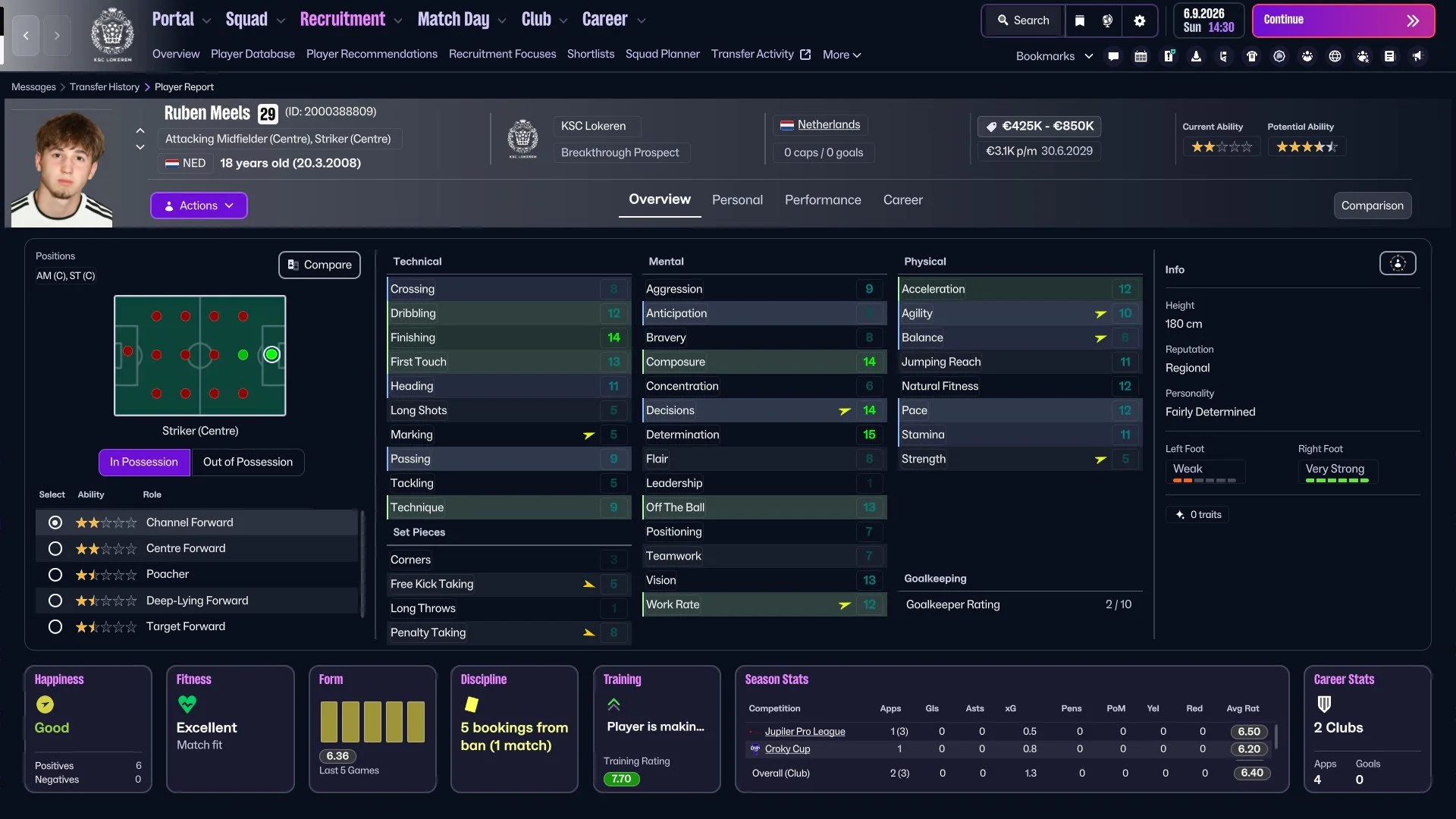
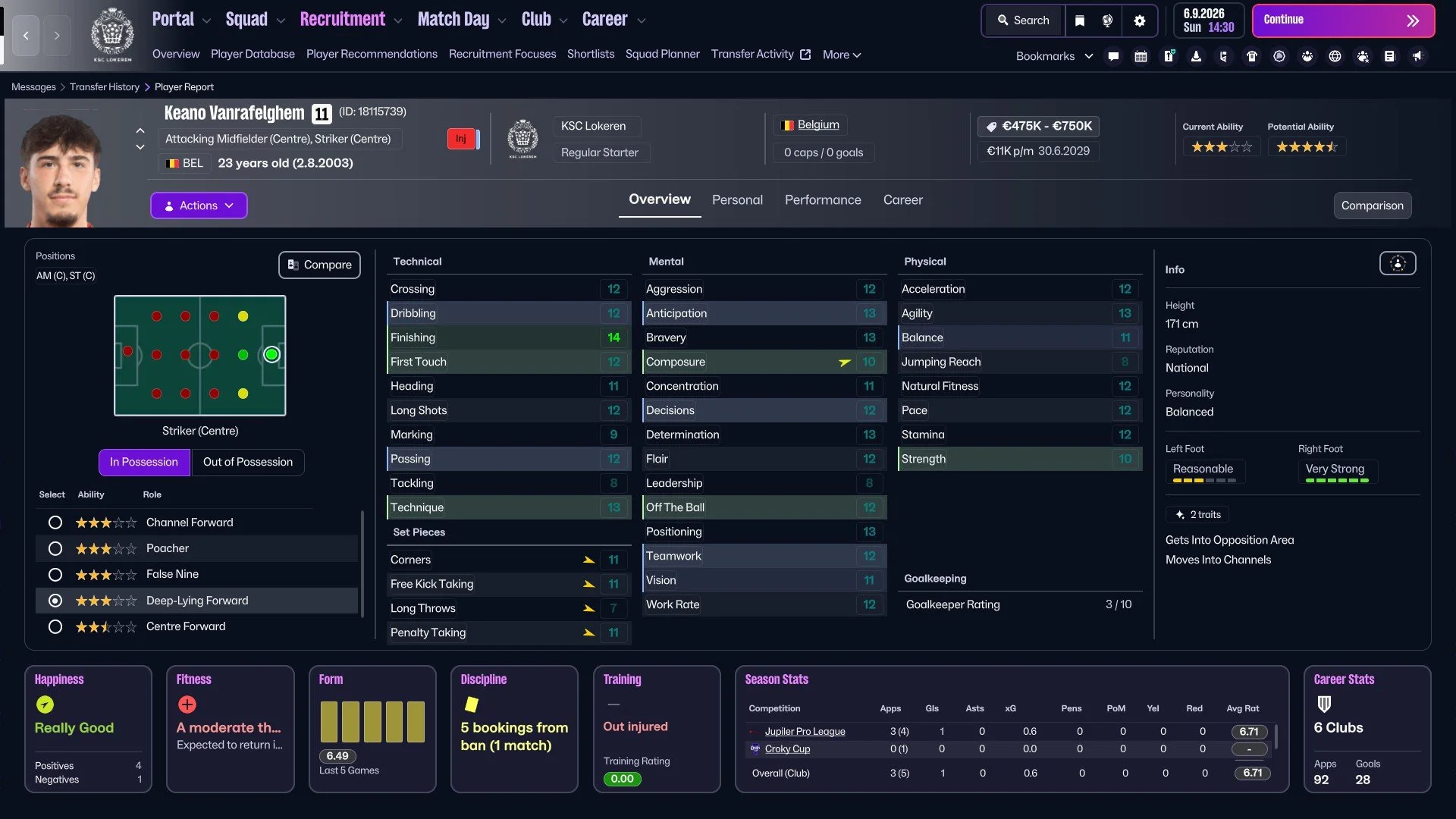
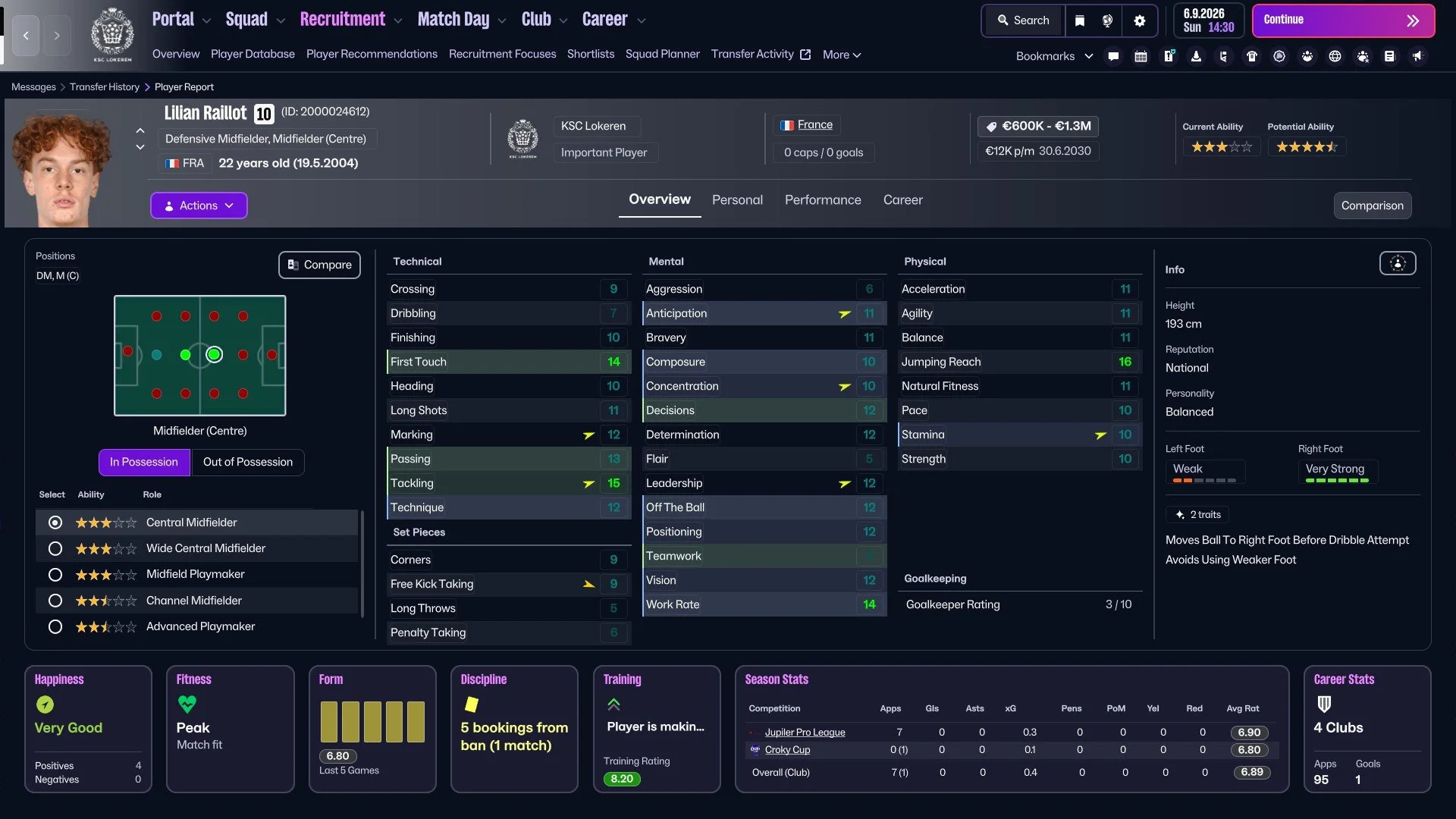
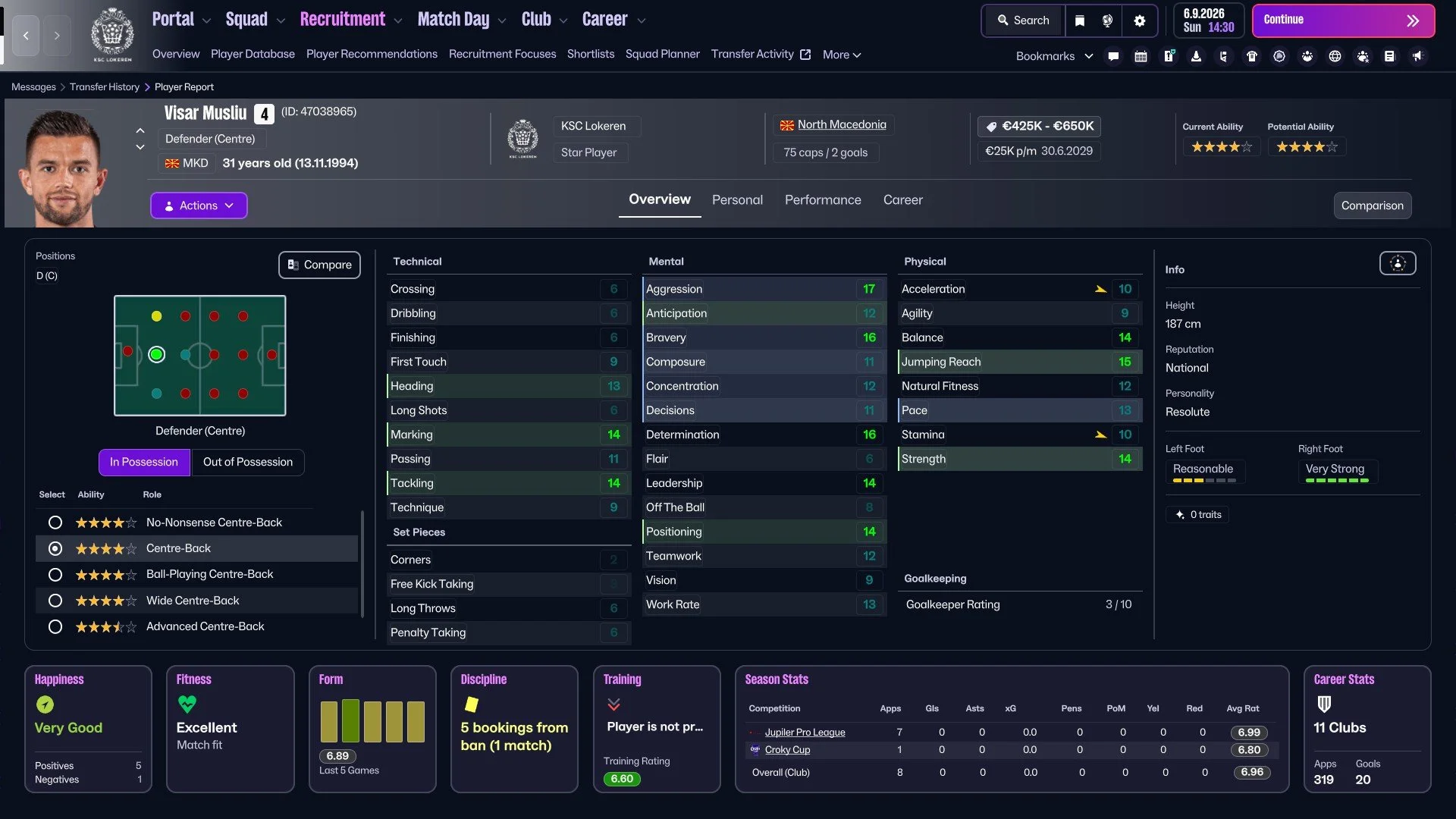
All of these players were signed for free, and I didn’t pay a transfer fee. I only decided not to sign any new goalkeeper during this process because I was not able to find someone who would be better than the current backup or someone who would not want too high a wage.
I also decided to sign a backup channel forward instead of the new first-choice player for this role because I want Said Okoce (the newgen from the first youth intake of the save I shared in the previous post) playing as much as possible.
I’m 100% sure I will use the same (or a little bit modified method again in the future of the save).
“The biggest difference in what was done before and what we are doing now is the proactivity of searching in the market. Not only looking for players who are good enough, but also who are suitable.”
Mark Coonen, Chief Scout, PEC Zwolle
I liked this thought in this interview with PEC Zwolle Chief Scout. It sums up my thinking of how I decided to use the TransferRoom in combination with the right requirements set. It’s not only about the immediate impact, but it is also, above all, an opportunity that you should not miss and take advantage of in the right setting.
The video by @Secondyellowcard would be my recommendation for anyone who would like to watch a video about the TransferRoom (In).
Thank you for reading, and thank you to everyone for supporting everyone else across social media or forum(s).
What is FM Slack?
There were a lot of changes within many social media, including Twitter (now “X”), and it’s not the same as in the past. We can’t see many things due to the algorithm, weird preferences and many other reasons I don’t even want to know.
There are many Discord servers, and I’m sure they are good and useful. But I will probably always be a bigger fan of Slack. Or, better worded, the Football Manager Slack. Feel free to join us with this link.
You will find a short channel summary in the ‘generalchat’ so it will be easier for you to navigate through the channels.